

Book Online or Call us 24/7

02030237773

logos

Book Flights with Google Pay

Crystal Travel

What Is Google Pay?

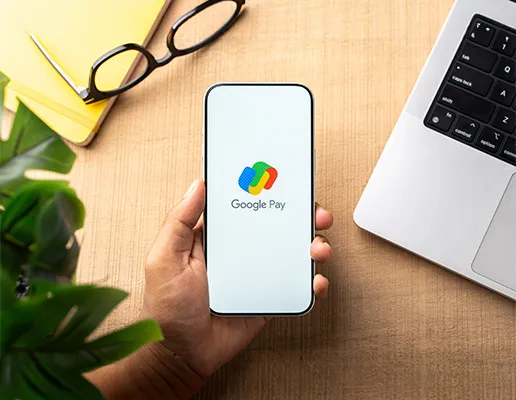
Google Pay is Google’s contactless payment method, powered by the Google Wallet app. It allows you to store your credit and debit cards digitally on your Android device and use them to make secure payments online, in apps, and in-store without needing your physical card.

Google Pay launched in the UK in 2016 as Android Pay before being rebranded to Google Pay in February 2018, when Google merged Android Pay and Google Wallet into a single unified service. In 2022, Google revived the Wallet name for the app itself, but the payment method you use at checkout remains known as Google Pay. Think of it this way: Google Wallet is the app that holds your cards; Google Pay is how you pay.

Who Can Use Google Pay on Crystal Travel?

Check these simple requirements before you book your flight.

You Must Be 18 or Over

Must Be 18 or Over

You must be at least 18 years old to make a flight booking on Crystal Travel using Google Pay.
An Android Device

An Android Device

You need an Android phone or tablet running Android 9.0 or higher to use Google Pay at checkout.

Google Wallet Must Be Set Up

Google Wallet Must Be Set Up

At least one debit or credit card must be added to your Google Wallet app before you can pay at checkout.

A Supported Card

A Supported Card

Your card must be a Visa, Mastercard, or American Express issued by a UK bank. Most major UK banks including Barclays, HSBC, Lloyds, and NatWest are supported.

Which Airlines Can I Book with Google Pay?

Google Pay can be used to book flights with a wide range of airlines on Crystal Travel. It works across major international and regional carriers, including British Airways, Emirates, Qatar Airways, Lufthansa, Air France, and more.

airline airline airline airline airline airline airline airline airline airline airline airline airline airline airline airline airline airline airline airline airline airline airline airline airline airline airline airline airline airline airline airline

Why Book Your Flights on Crystal Travel with Google Pay?

Crystal Travel supports a wide range of payment methods, but Google Pay stands out for Android users who want to book quickly, safely, and without any manual card entry. Here is what makes paying with Google Pay on Crystal Travel such a practical choice:

No card details to type

No card details to type

Google Wallet fills in your payment automatically at checkout. No card number, no expiry date, no CVV—just authenticate, and your Crystal Travel booking is on its way.

Instant booking confirmation

Instant booking confirmation

Google Pay processes payments in real time. Once you authenticate on your device, your Crystal Travel reservation is confirmed, and your e-tickets are issued without delay.

Real card number protected

Your real card number is never shared

Crystal Travel never receives your actual card number. Google Pay transmits a dynamic virtual account number (DPAN) instead of a one-time token unique to each transaction. Your real card details remain on Google’s secure servers, never exposed to merchants.

Works across Android devices

Works across your Android devices

Start your Crystal Travel search on your phone and complete payment with the same Google Wallet card. The same card syncs seamlessly across your Android phone, tablet, and Wear OS smartwatch.

Pay from your wrist

Pay from your wrist

If you have a compatible Wear OS smartwatch with NFC, you can pay in-store without touching your phone at all. Your Google Wallet card is right there on your wrist, ideal for on-the-go travel moments.

Lost or stolen device protection

Lost or stolen device? Stay protected

If your Android phone goes missing, you can remotely lock your device or erase your Google Account using Find My Device. Only the payment tokens on that device are affected; your Crystal Travel booking remains safe and fully accessible through your booking confirmation email.

How to Book Flights on Crystal Travel with Google Pay

Booking your flight on Crystal Travel with Google Pay takes just a few steps. Here is how it works from start to finish:

Set up Google Wallet

Download the Google Wallet app from the Google Play Store on your Android device (Android 9.0 or higher required). Open the app and sign in with your Google Account.

Add your card

Tap “Add to Wallet” and scan your credit or debit card, or enter the details manually. Your bank may send a one-time verification code to confirm the card. Once added, Google Pay is ready to use.

Search for your flights

Visit crystaltravel.co.uk and use the flight search tool to find your route, dates, and preferred airline. Crystal Travel gives you access to a wide range of airlines, short-haul, long-haul, and everything in between.

Select your flights and passengers

Choose your outbound and return flights, enter passenger details, and add any extras such as hold luggage or seat selection. Review your full itinerary before proceeding to payment.

Choose Google Pay at checkout

On the payment page, select Google Pay as your payment method. Your device will prompt you to authenticate using your fingerprint, face unlock, or PIN.

Authenticate and confirm

Verify your identity on your Android device. Once authenticated, the payment is processed instantly, and your Crystal Travel booking is confirmed. You will receive your e-tickets and booking reference by email.

Save your booking details

Keep your booking confirmation email safe. Your ATOL certificate will also be sent if your booking includes flights covered under Crystal Travel’s ATOL protection.

Frequently Asked Questions

Does Crystal Travel accept Google Pay?

Is Google Pay the same as Android Pay?

Is it safe to book flights on Crystal Travel using Google Pay?

What Android version do I need to use Google Pay?

Can I use Google Pay on an iPhone to book flights on Crystal Travel?

Is there a spending limit when using Google Pay on Crystal Travel?

Does Crystal Travel’s ATOL protection cover Google Pay bookings?

What happens if I lose my phone after booking with Google Pay?

Can I use my Wear OS smartwatch to pay for flights on Crystal Travel?

Which cards can I add to Google Wallet for use on Crystal Travel?

What currency does Crystal Travel charge in when I pay with Google Pay?